
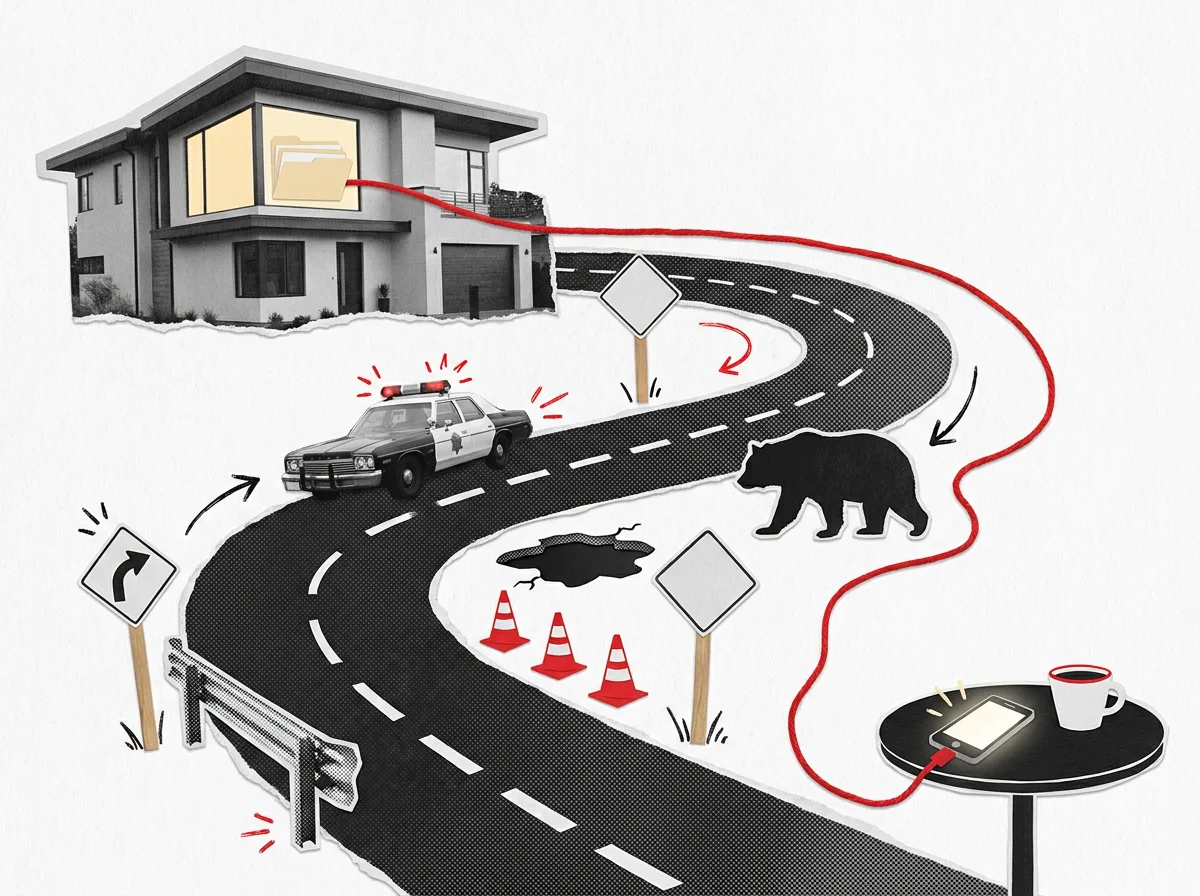
You're at work. Favorite drink in one hand, phone in the other, and the file with the presentation you need is sitting on a computer at home.
A few years ago, that meant driving back, or talking your 10-year-old through finding it and emailing it to you (happened to a friend, not me). Today, I just ask one of my agents. These capable allies run on a small computer on my desk at home. They can find the files I've given them access to, read them, and give me what I need, right on the device in my hand.
To be clear, yes, you can do this with Drive, Dropbox, or any other cloud solution. That part isn't new... What I'm talking about here is private data management, without paying storage fees for life.
Why this matters: owning your context access, not renting memory space#
Most AI tools keep your history on their side. Your chats, your uploads, your settings. It works, and it's convenient. But it means your working memory lives somewhere you don't control, in a shape you can't easily take with you.
When the files live on your own machine, a few things change at once.
- Convenience. The agents work right next to everything they need. No uploading, no copying, no "let me paste that in again."
- Access. I can reach my agents from my laptop or my phone, wherever I am, and they pick up where the files say we left off.
- Data management. Everything they make lands in my folders, under my names, in my backups. Nothing is scattered across five apps.
- Security. I decide what the agents can touch, and what stays out of reach entirely.
- Nimble workflows. Because the work is just files, I can switch models, switch tools, or switch computers without starting over.
A quick clarifying view here. Renting cloud storage is easy, and it's very convenient. It can even be the cheaper option at first. Building your own personal AI operating system, and storing its files the right way, is an investment. It takes some money and a little setup time. But it pays you back with compounding gains in efficiency every day, and real savings over the long run.
Who this might benefit, and how#
This is for anyone ready to question the normal way of doing things, where convenience quietly wins over proper data management.
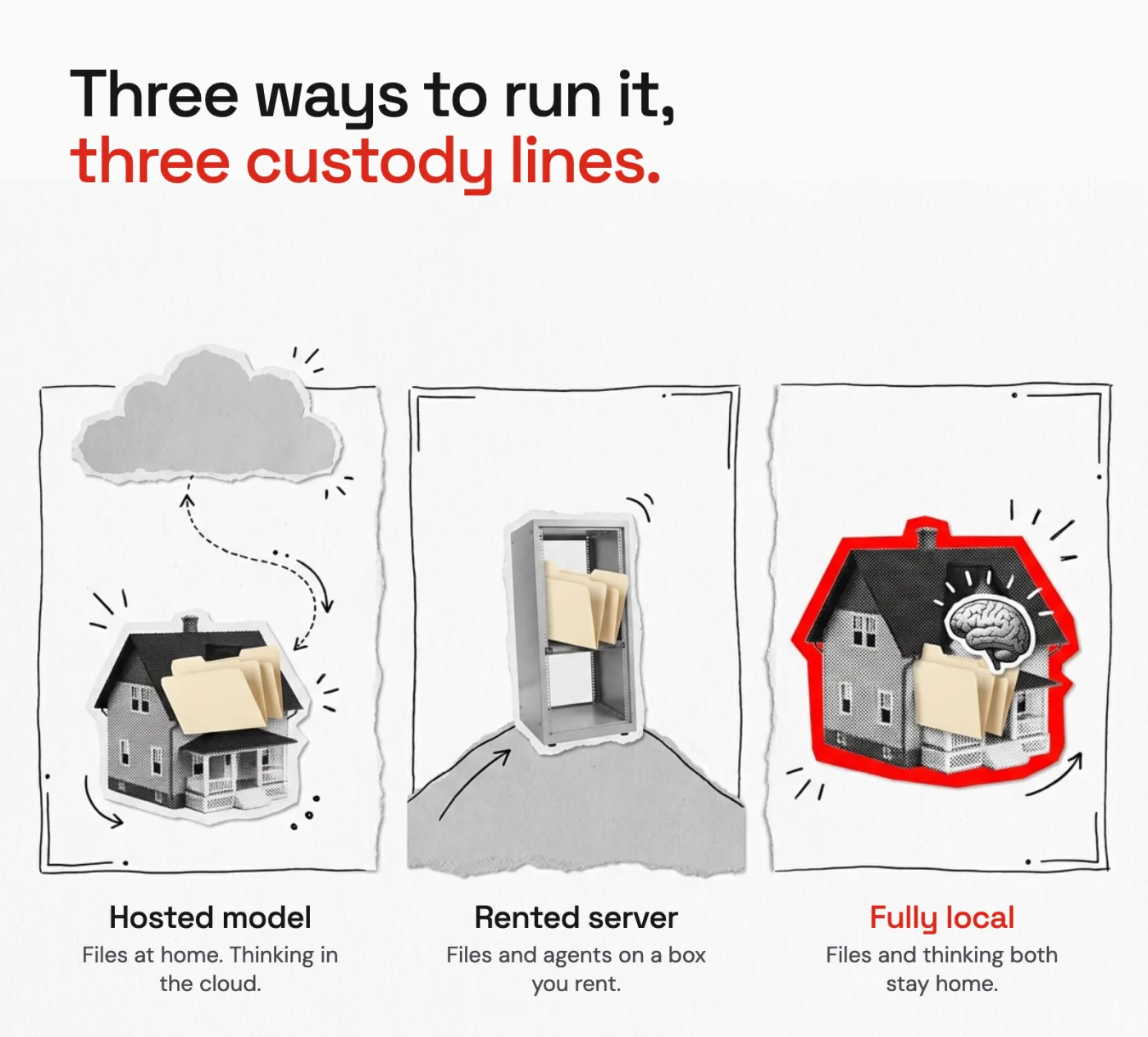
And let me define "proper" honestly. In my setup, the files stay home, but I still use a hosted model to do the thinking. That means I'm OK with the model provider (Anthropic, in my case) seeing the conversations my agents send it. If you're not OK with that, keep reading. There's an option for you too, with a different price tag.
How it benefits you#
Some of what I describe here you can already get elsewhere. Remote access, synced folders and AI chat are all a download away. The benefit that's hard to get any other way is long-term, permanent context.
Everything you and your agents produce stays in one place you own, organized your way. Over months, that collection becomes a true context library about you. Your projects, yes, but also the things that matter in the rest of your life. Career goals, learning plans, the family vacation you keep researching, the recipe you finally got right. The options are endless.
Every new agent you wake up starts from that library instead of from zero. That's the part that compounds.
What the setup actually is#
No magic, and nothing you need a server room for.
- One always-on computer at home. A small desktop that sips power (a few watts when idle), stays awake, and keeps its screen locked.
- Agents that run on that computer, with access to the folders I choose.
- A way to reach them remotely, so a session started at home can be picked up from anywhere.
- Files as the shared language. Agents leave each other notes, work orders and reports in files. That's how one agent hands work to another, even when I'm not there to relay it.
The other day, I was away from my desk and asked one agent to wake up another one that had been sitting idle, and connect it so I could keep working with it remotely. It did, and I picked up right where the files said we'd left off.
What it costs: three setups#
You can go a little cheaper than these, but for a good balance between cost and effectiveness, here are three options. Better is where I'd point most people. Prices are close estimates, plus or minus a few bucks, and they move. None of them count what you probably already have at home, like monitors, a mouse, a keyboard and a desk.
| Good | Better (recommended for most) | Best | |
|---|---|---|---|
| Home computer | Mac mini, 16 GB memory, 512 GB storage | Mac mini, 32 GB memory, 512 GB storage, fast wired network | Mac mini or Mac Studio with 64 GB memory or more, for running a local model |
| What it gives you | Room for agents and files, always on | Room for many agents at once, fast transfers to drives and the network | Enough memory to run a capable model entirely at home |
| Encrypted drives | One portable SSD, 1 TB, for backups | Two fast portable SSDs, both encrypted. One is the working drive, the other a versioned copy kept apart from it | Same two SSDs, plus a large archive hard drive |
| The window you carry | The laptop or phone you already own | A laptop with plenty of memory, if you work with big files on the go | Any laptop or phone |
| Close estimate | About $950 to $1,050 | About $1,900 to $2,000 for the home box and drives, plus a laptop if you need one | About $2,600 to $4,800, mostly depending on memory |
Worth adding as you grow: a large archive drive for the data you rarely need, catalogued by year, month and area of life. And for client projects with special needs, virtual servers, cloud computers, a private git server and a public address are on my list to test. More on that when I have.
The full list, with what each part does and a first-week setup checklist, is in the downloads below.
Caveat one: local data, remote thinking#
Here's the part people skip.
With a hosted model, every request sends the working context out to be thought about. The file it reads, the question you asked, the notes it pulls in to answer you... all of that travels to the provider's servers for that moment of thinking.
The files stay home. The thinking does not.
For a lot of work, that's perfectly fine. It's the same trade you make with any hosted AI tool, just with your files staying home in between. But it means you should decide, on purpose, what the agents can open. Some things belong in a folder they never touch. Passwords and keys, health and money records, anything that isn't yours to share.
Caveat two: a fully local model#
You can also run the model itself on your own machine. Then nothing leaves the house. Not the files, not the thinking.
The trade is real, though.
- Capability. Models small enough to run at home are good and getting better, but they're not yet as strong as the best hosted ones for long, careful work.
- Hardware. You'll want a bigger, pricier machine with plenty of memory (the Best column above).
- The hard parts come back to you. Reaching your agents from the road, and keeping everything organized and backed up, are now your job to build and maintain.
That's why I'm building a local model of my own, one that will never touch the cloud or reach outside my protected setup. It has one job. Either process private data, only when I explicitly allow it, or blur out what should never leave the house before anything goes to a hosted model. Personally identifiable information, sensitive work details, grandma's top-secret recipes... you get the idea.
The middle ground, in one breath#
Instead of a desk box, you can rent a server. Same idea, different custody line. Your files, your agents, your database and backups all live on a machine you rent, reachable from anywhere. You trade a bit of control for not having to keep a computer awake at home.
What else earns a thought before you start#
- Always on means always on. Set the machine to stay awake, keep the screen locked, and pick hardware that sips power. The bill is tiny if you choose well.
- Backups and encryption from day one, not after the first scare. A home machine can be lost, stolen or spilled on.
- A log of what agents did. When something changes, you want to know which agent did it and when.
- Start where you are. Model access alone is the cheapest way to begin. Add the home box when the files start to matter.
I'll be honest... this isn't for everyone, and it isn't finished. I'm still tuning it. But the shift in how it feels is real. My work stopped living in other people's apps and started living with me.
Your homework is simple. Grab the Custody Line Card below and answer the three questions. If your answers point home, the Shopping List shows you what to buy. And if you want the backstory on why files beat chat history in the first place, read Why Your AI Forgets You, and the Folder That Fixes It.